
How to use CSSBuy: the batch buying guide
Five verbs between a folder of saved links and a set of submitted orders, each anchored to a page CSSBuy publishes.
Collect links the way the paste field expects them
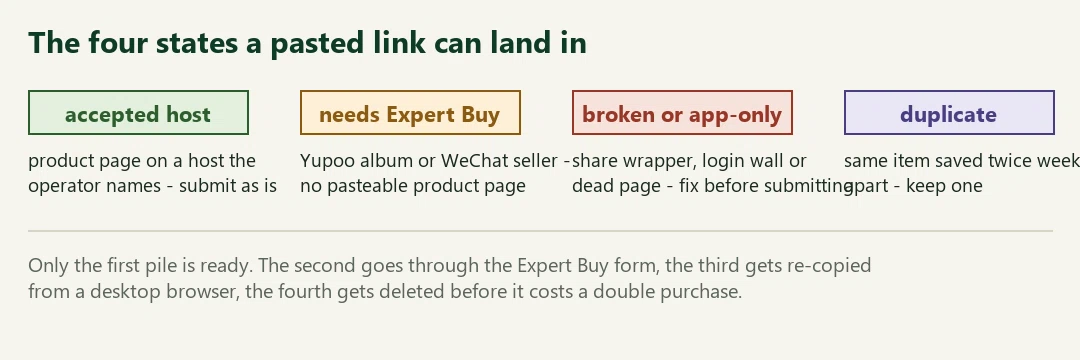
CSSBuy's front door is a paste field: the home search box reads "Search website URL or Keywords", and Buy For Me's Method 1 is literally copy the link, paste the link. Their Method 2 searches by name instead, over Taobao, Tmall and 1688 (their pages, read 2026-10-11).
So collecting is simple on desktop: open the product page, copy what the address bar shows. From phone apps it goes wrong in a specific way - share buttons hand out wrapper URLs that bounce through redirects, and some only resolve inside the app. Collect from a browser where you can, and mark anything app-shaped for the verify step.

Verify that each link resolves logged-out
A link that needs an account to display is a link the batch cannot carry. CSSBuy's own in-site product search sits behind a login, which is a fair reminder that plenty of pages do. The test is cheap: open each saved URL in a private window. If a login form, an app prompt or an error page comes back, the link gets fixed now, not after the order is half-typed.
Three usual suspects: shortened share links, pages that expired while sitting in your notes for a month, and listings pulled mid-sale. The cleaner flags the shapes it can detect; the private-window test catches the rest.
Clean tracking clutter while keeping product and variant details
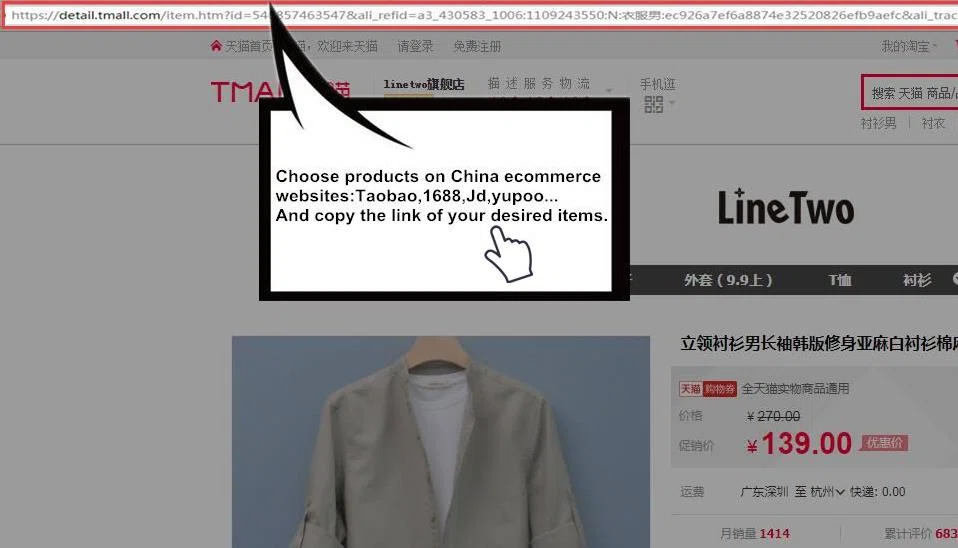
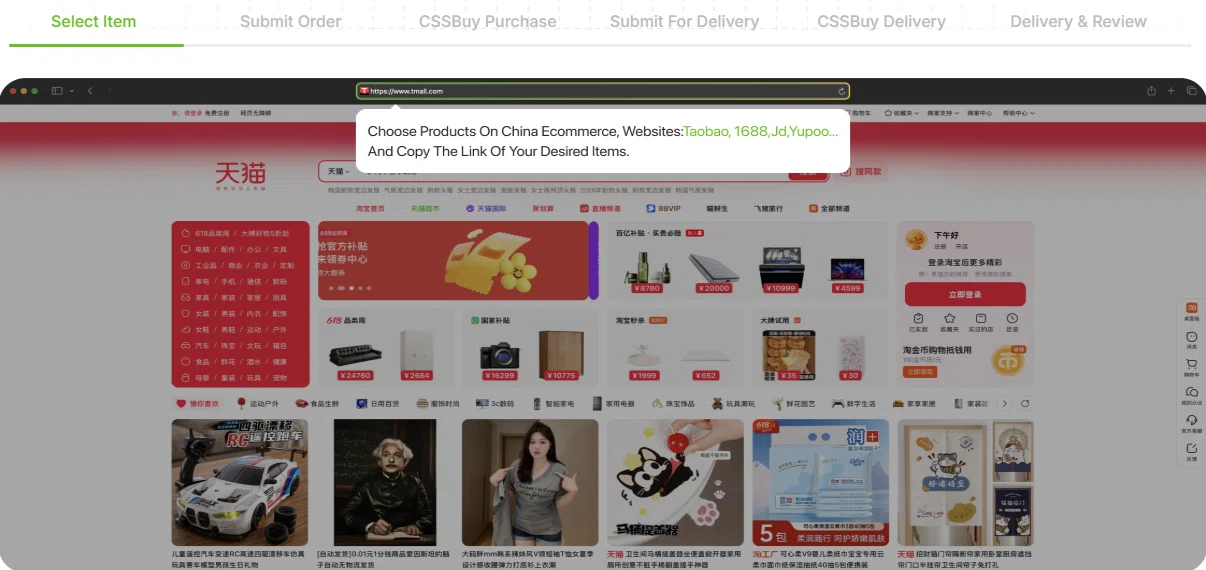
Look at the address bar in the operator's old training image: the Tmall URL carries id=, which identifies the item, followed by ali_refid and ali_trackid, which identify the marketing campaign that showed it to someone, once. The first survives any paste. The rest pads the line, breaks de-duplication, and occasionally trips a form's length limit.
Cleaning by hand means keeping the host, the product path, the item identifier and any size, colour or other variant parameters. Remove only tracking fields you recognise. Cleaning with the tool on this site does the same per line and shows what it removed, so two saves of the same product stop pretending to be different links.
Keep the selection beside the cleaned address
A cleaned URL may identify the same shirt while losing nothing more than marketing tags. It can still open at the seller’s default colour or size. Keep a companion note with the seller name, exact option text, quantity and the date you checked it. Use a screenshot of the selected option when the choices are difficult to translate.
Imagine saving the same product once in blue M and once in black L. If both saves share the same item address, the cleaner may identify one product; that is not permission to merge the two intended purchases. Preserve the two specification notes and confirm them independently in the cart.
If an app share link lands on a shop, promotion or sign-in screen, do not guess an item number. Retrieve the original listing in a browser or prepare the manual-order information. The cleaner can standardise a link’s text; it cannot establish current stock, seller acceptance or the chosen variant.
Group by seller, in writing, before anything is submitted
Their help article 46 is one sentence long and worth a batch habit: several orders from the same seller, submitted to buy at one time, get their domestic freight combined (read 2026-10-11). Domestic freight is the courier leg from the store to the agent's warehouse, charged per shipment; five items from one shop submitted together ride one of those legs instead of five.
The practical move: sort the cleaned pile by shop, and submit a shop's links as one round. For catalogue links where the URL hides the seller, the shop name you noted while browsing does the sorting; for the rest, the cart step below is where the grouping lands.
Submit through the cart, one seller's round at a time
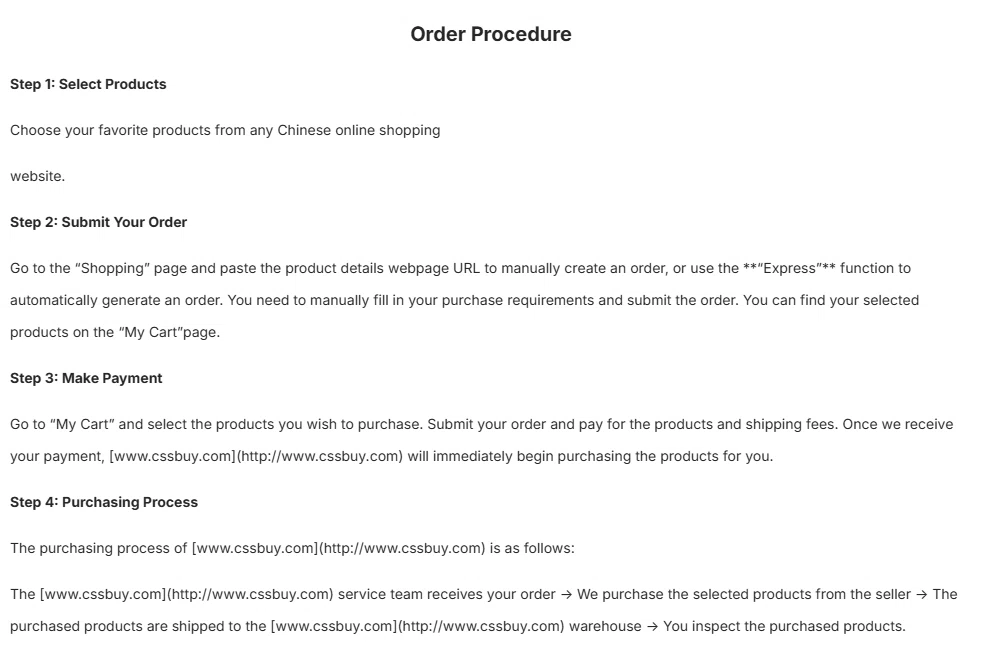
The operator's order-procedure article (help 13, read 2026-10-11) names the mechanics: paste the product details URL on the Shopping page to create an order manually, or let their Express function build the order from the link; submitted items collect in My Cart; selecting them there and paying starts the purchase. Their create-an-order article (help 15) adds the fields that save tickets later: pick colour and size in the Product Memo, flag redemption deals, and expect a re-confirmation ping on overweight goods.
Batch translation: feed links in seller order, let them stack in the cart, then select one seller's set and submit it together. That is the moment help 46's freight combining actually fires.
After submission, the batch becomes statuses
From here the operator's six-step bar takes over: purchase, warehouse arrival, inspection photos, then a delivery submission you trigger yourself. The parts that matter to a batch owner are on the QC and shipping page; the money timing - items now, service fee and freight at the ship step - is on costs.
Next on this site
Hosts - the acceptance list this guide keeps assuming
Link cleaner - the verify-clean-group pass, automated
Costs - when each part of the bill actually lands
Prefer a video walkthrough?
CSSBuy Main Guide, published in 2018. This is an archived official walkthrough: the checkout interface has changed, so follow current on-screen instructions and the text guide above.
Watch the CSSBuy tutorial video →