
Picking a wall worth pulling links from
Three checks tell you whether a catalogue is maintained or abandoned. This page runs them, including against this site.
The job a finds wall does, and the job it cannot
Product discovery on the agent's own site assumes an account: CSSBuy's in-site product search greets a logged-out visitor with a sign-in panel (their site, 2026-10-10). Finds walls exist to fill that gap - browsable catalogues of product photos with store links behind them, no login, sorted by category. The habit started in shared files traded between shoppers; what survives of that era is the name and the purpose.
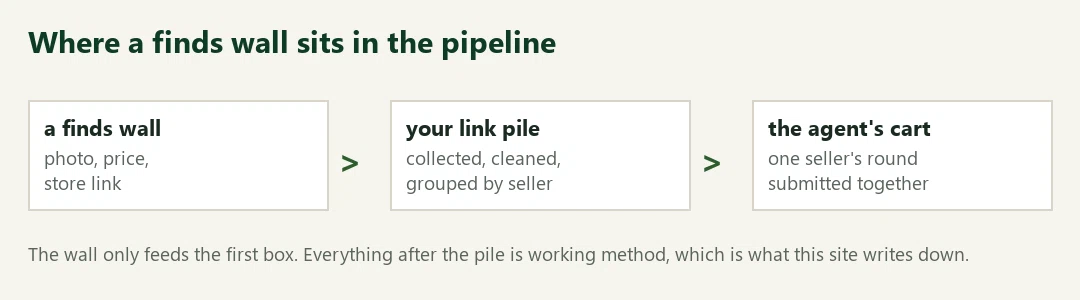
What a wall cannot do is submit anything. It feeds the first box in the pipeline below; the pile in the middle is yours to clean and group, and the cart at the end belongs to the agent. Judging a wall, then, is really judging whether the first box feeds the second one clean links or stale ones.
A two-minute audit for any finds wall
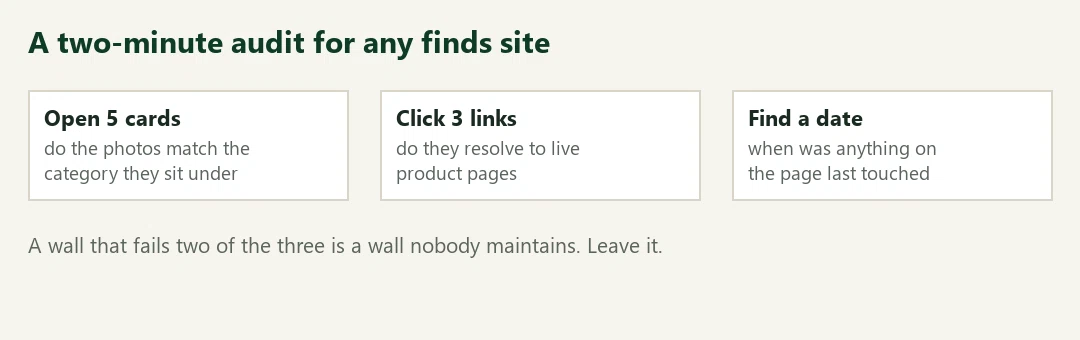
This is how to judge a finds site in two minutes: three checks, no tooling. Open five cards: do the photos match the category they sit under. Click three store links: do they resolve to live product pages without a login. Find a date: anything on the page saying when a human last touched it. A wall that fails two of the three is a wall nobody maintains, and stale walls cost real money - a dead link discovered at submission time stalls its whole seller group.
Run the same audit here, today. The footer of every page carries its review date, the updates page logs what moved, and the shelf links are re-fetched before a page changes. When this site fails its own audit, it has earned the close button too.
One audit failure, caught in this site's own sourcing
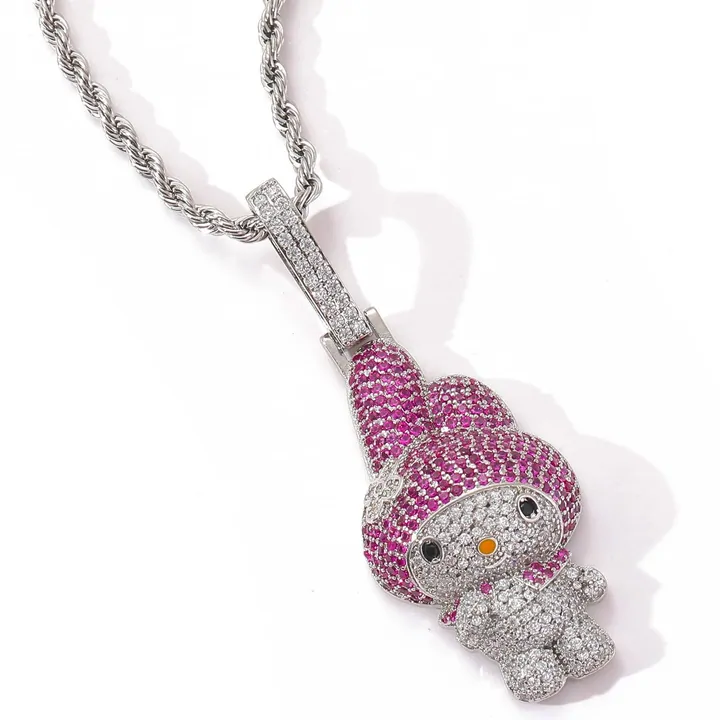
The check is not theoretical. While picking the sixteen card images for this site's shelves on 2026-10-11, the source pool served the pendant on the right inside its womenswear category. It is a necklace. Mislabels like this are routine in big catalogue pools, which is why the first audit question is photo-versus-label and why every card image here was approved by eye, not by category name.
One structural note on our own wall while you audit it: fifteen shelves point at fixed categories, and the womenswear card runs through a search feed instead - its badge says Search results where the others say Category. A fixed womenswear shelf went stale faster than any other category we tried, and a labelled search feed beats a quietly rotting shelf.
Next on this site
Spreadsheet - the shelves this site maintains
Link cleaner - what to do with the links a wall hands you